Annotate

—Activitynotes captured
Review where the work lives.
Leave feedback on the live page, pinned to the element you mean. The note keeps the URL, the markup and the thread, so nobody has to reconstruct what you saw.
- Chrome
- Framer
- GitHub
- Vercel
- Next.js
Where it fits
The hard part was never writing the feedback.
You spot the problem on screen. The note about it lands somewhere else, and before anyone can act on it they rebuild what you were looking at. An engineer can ask which button you meant. An agent will guess.
Review together
Everyone in the same browser tab, from their own browser.
Notes
The conversation stays attached to the element.
Agent handoff
Hand it over with the page still attached.
Review and handoff
From feedback to direct action.
- Talk it through on the page
- Replies stay pinned to the element, so the discussion never drifts from what it is about.
- Hand it off once it is settled
- An owner approves the brief. The agent gets the element, the page and the thread together.
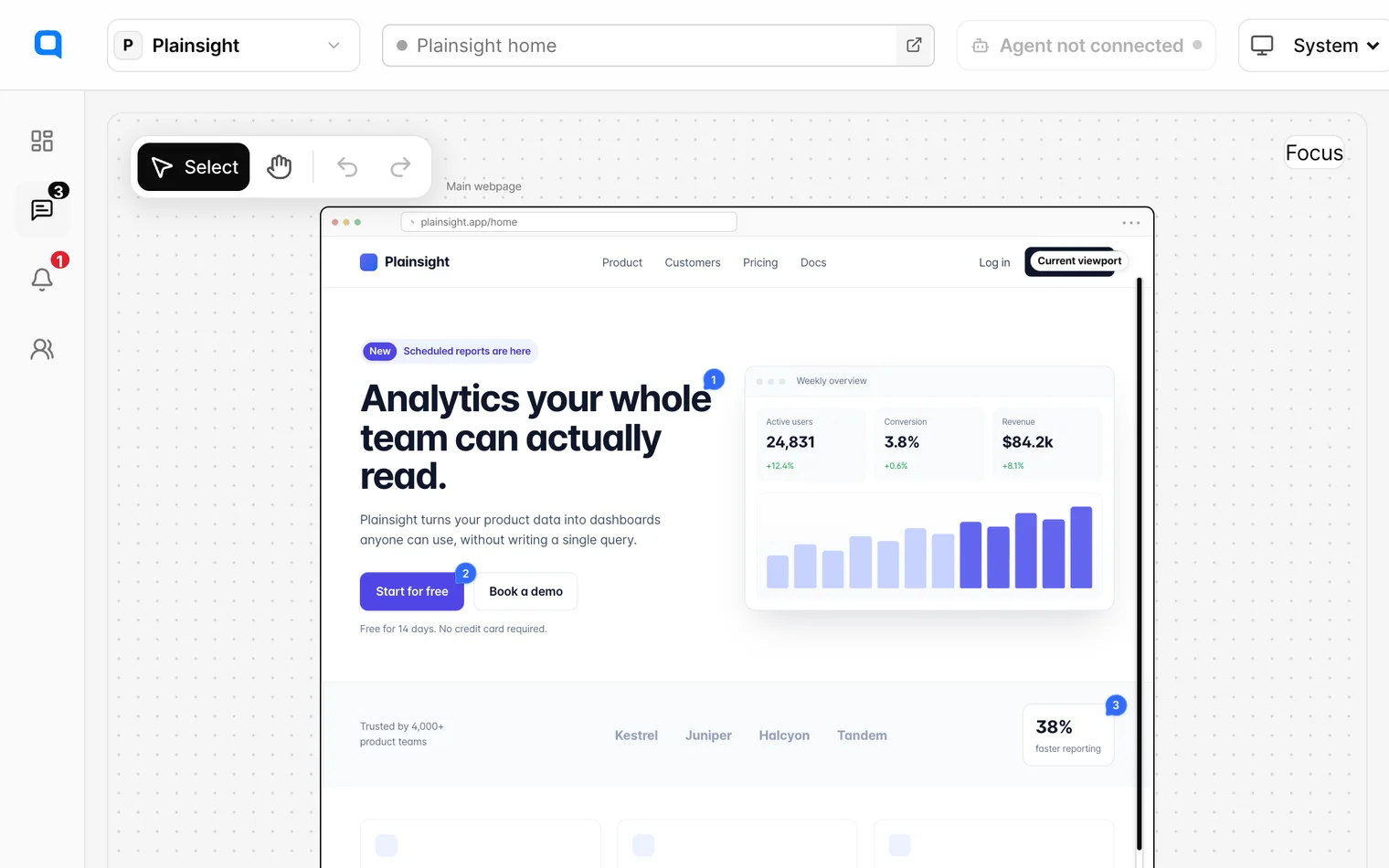
Discussion3 updates
Context
Every note knows what it points at.
- The element, not a screenshot of it
- Each note keeps the URL, the selector, the markup and the computed styles, so whoever picks it up starts at the right element.
- Handed to the agent you already use
- Once an owner approves it, the brief goes to Codex, Claude Code or Framer Agent with that context attached.
- CCodex
- Claude Code
- Framer Agent
In a Git repositorynpx https://anote.to/anote-cli-0.4.4.tgz
For a Framer projectnpx https://anote.to/anote-cli-0.4.4.tgz framer
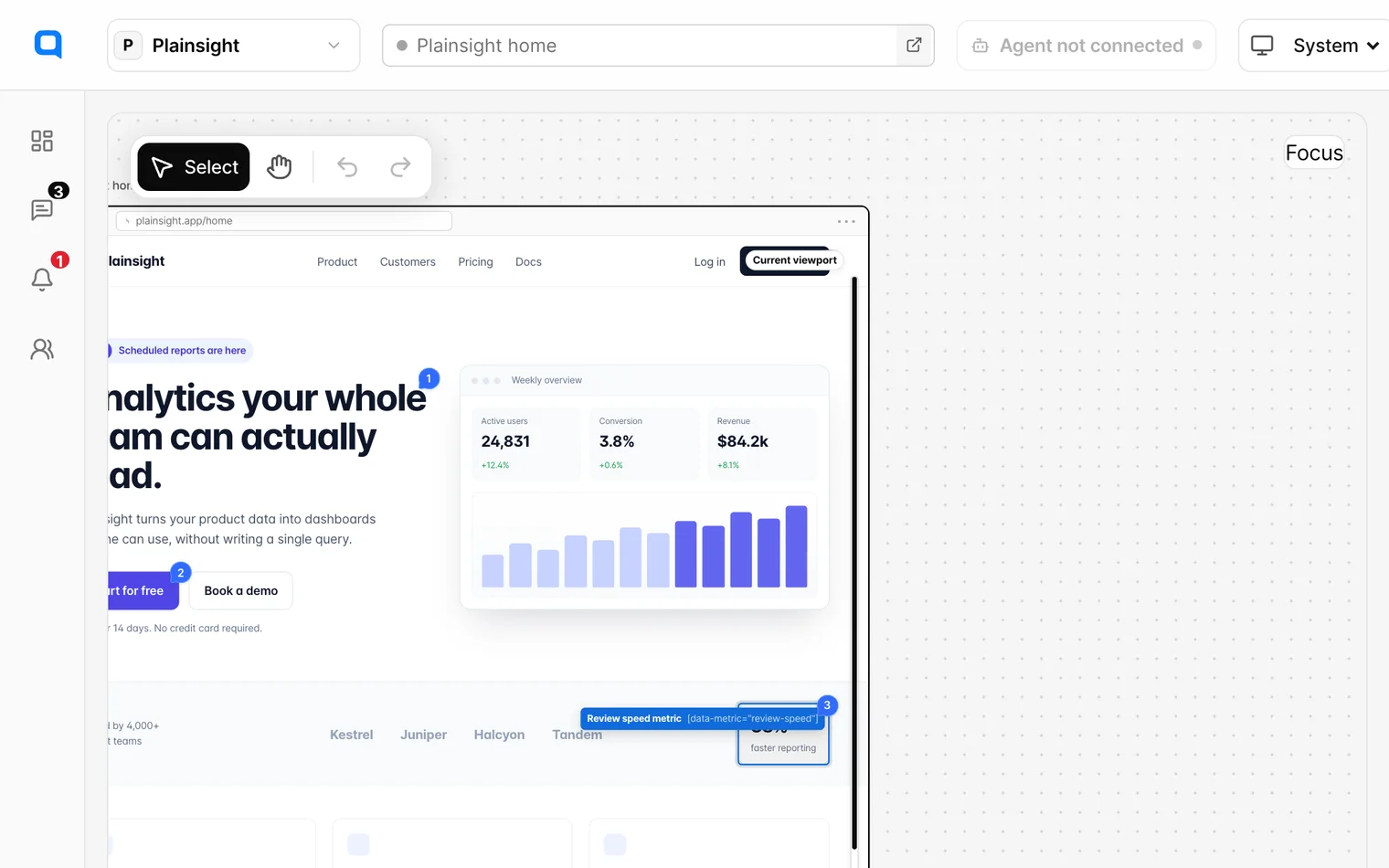
Context carried forward1440 × 900
Visual context
- URL
- https://plainsight.app/home
- Selector
[data-metric="review-speed"]- Viewport
- 1440 × 900 @2x
HTML
<article data-metric="review-speed"><strong>38%</strong><span>faster reporting</span></article>background
rgb(255, 255, 255)color
rgb(15, 23, 42)padding
12px 16pxborder-radius
12pxFAQ
Questions before you start.
Does Anote change my site?
No. The extension draws notes and pins over the page in your browser. Your site's code and content stay as they are until someone approves a change.
What does a note keep?
The page URL, the element's selector and markup, and the thread about it. Replies can carry attachments of up to 3 MB and voice memos.
Which agents can take a brief?
Codex, Claude Code and Framer Agent. Copy the connection command above for your Git repository or Framer project. The terminal opens Anote so you can review and approve the connection.
Who decides when an agent runs?
An owner or editor approves the brief first. If the page changes afterwards, Anote asks for approval again rather than sending a brief that no longer matches.
Can I try it before installing anything?
Yes. The toolbar at the bottom of this page is the real one. Notes you leave here stay in this tab and are not saved.

Your next review
starts with a note.
Connect your site. Invite your team.
Make the next step clear.